
Download Keyboard And Mouse Recorder – free mouse and keyboard automation tool
Overview
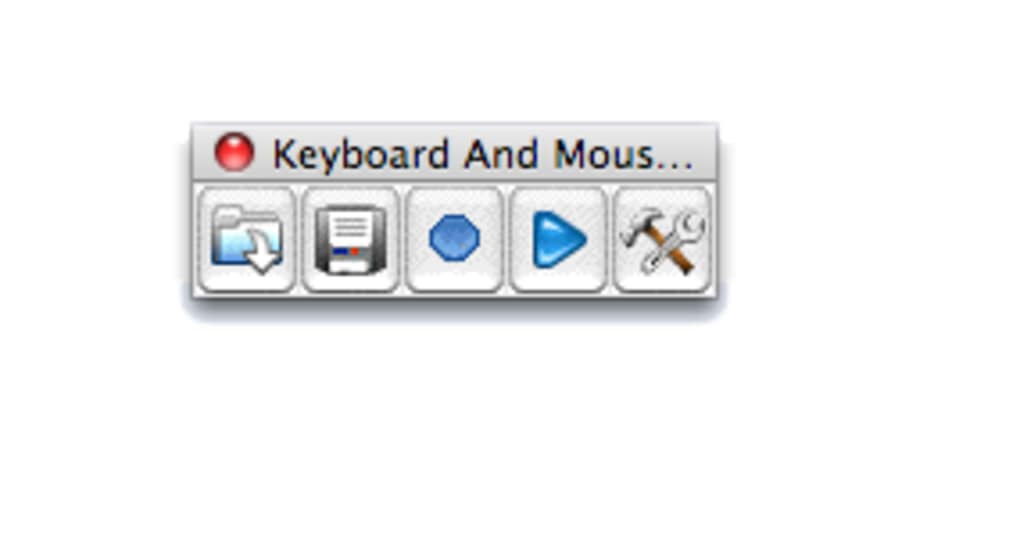
Keyboard And Mouse Recorder is a lightweight, portable utility that lets you capture every keystroke and mouse click on your computer and replay them whenever you need. Designed with a classic Mac‑style interface, the program opens in a compact window that can be launched instantly after download—no installation wizard, no background services, just a simple record button and a play arrow. This makes it ideal for users who need a quick way to automate repetitive tasks without the overhead of a full‑blown macro suite.
The recorder stores the captured actions in a proprietary format, which guarantees that playback is accurate and timing‑precise. While the format is not immediately compatible with popular video or macro editors, the tool excels at simple automation scenarios such as filling out forms, launching applications in a set order, or demonstrating a workflow for training purposes. Recent updates have added Finnish and Swedish localizations, expanding its accessibility across Europe.
Though it lacks the advanced scripting capabilities of heavyweight tools like Keyboard Maestro, Keyboard And Mouse Recorder delivers a free, secure, and instantly usable solution for everyday automation on Windows, macOS, and Linux (via Wine). Whether you are a student looking to streamline data entry, a developer needing to demonstrate UI interactions, or a power user who wants to save time on repetitive clicks, this app provides a no‑frills, reliable way to record and replay mouse‑keyboard sequences.
Key Features & Benefits
- Portable design – run directly after download, no installation required.
- Simple one‑click recording of mouse movements, clicks, and keyboard input.
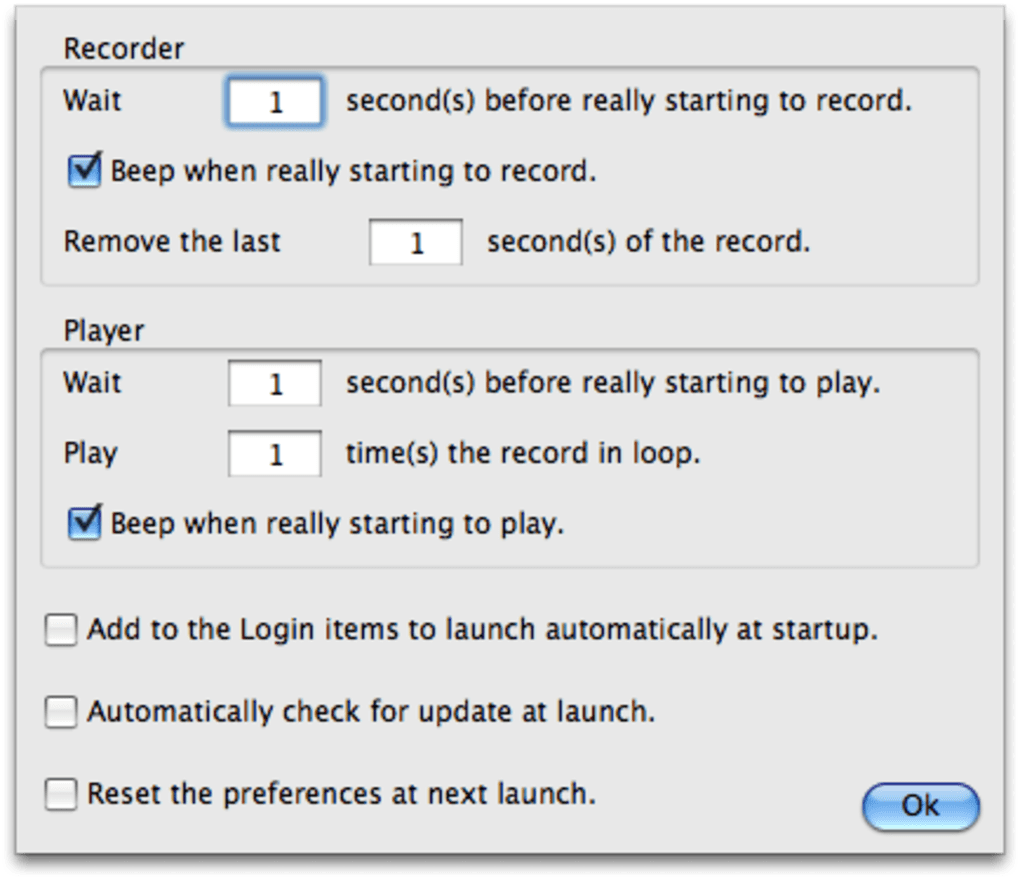
- Playback with adjustable speed and interval timing for automated repeats.
- Support for Finnish and Swedish localizations, expanding multilingual usability.
- Compact UI reminiscent of classic Mac applications for a nostalgic user experience.
- Secure handling of recorded data – files are stored locally, not uploaded to the cloud.
Pros
- Zero‑installation – perfect for on‑the‑go automation.
- Intuitive interface that even non‑technical users can master within minutes.
- Lightweight footprint; consumes minimal system resources.
- Free to download and use, with no hidden fees or subscription models.
- Localization options for Finnish and Swedish speakers.
Cons
- Proprietary recording format limits sharing and conversion to standard video files.
- Lacks advanced scripting, conditional logic, and variable handling found in premium macro tools.
- Small window size can be cumbersome on high‑resolution displays.
- No native support for macOS Big Sur+ UI guidelines; looks dated on modern systems.
- Limited documentation and community support compared to larger automation suites.
Installation, Usage & Compatibility
Getting started with Keyboard And Mouse Recorder is intentionally straightforward. After you download the ZIP archive, extract its contents to any folder you prefer. The executable file (KeyboardMouseRecorder.exe on Windows or the corresponding macOS bundle) can be launched directly—no admin rights or installer are required. This portability makes the tool ideal for use on shared workstations, USB drives, or within sandboxed environments where installation is prohibited.
Once the application is open, the workflow consists of three simple steps:
- Press the red Record button. The recorder begins capturing every mouse movement, click, and keyboard entry in real time.
- Perform the actions you want to automate. Navigate through menus, fill out forms, or open applications exactly as you would manually.
- Click the Play arrow. The recorded sequence replays, reproducing your exact actions with the same timing. You can adjust the playback speed or set the sequence to repeat at defined intervals via the Preferences dialog.
Keyboard And Mouse Recorder runs on the following operating systems:
- Windows 7, 8, 10, and 11 (32‑bit and 64‑bit)
- macOS 10.9 (Mavericks) through macOS 13 (Ventura) – using the native macOS bundle or via Wine on Linux.
- Linux (experimental) – works when executed with Wine, offering the same recording capabilities.
Because the software does not modify system files or registry entries, it is considered safe for corporate environments that enforce strict security policies. However, always verify the download source and scan the file with your preferred antivirus solution before execution. For users who need to integrate recordings into training videos or documentation, a simple workaround is to use a screen‑recording tool (e.g., OBS Studio) while playing back the macro, then export the video in a standard format.
Regular updates are released on the developer’s website, providing bug fixes, localization enhancements, and occasional feature tweaks. The update process mirrors the initial download—simply replace the old executable with the newer version.
Frequently Asked Questions
Is Keyboard And Mouse Recorder truly free?
Yes, the application is completely free to download and use. There are no hidden fees, trial periods, or premium upgrades required to access its core recording and playback functions.
Can I export recordings to a standard video format?
The recorder saves data in a proprietary format designed for precise playback. While there is no built‑in converter, you can capture the playback using any screen‑recording software (such as OBS Studio or Camtasia) and then export the result as MP4, AVI, or another common video format.
Does the tool work on macOS Big Sur and later?
Yes, the macOS bundle runs on Big Sur, Monterey, and Ventura. The UI retains its classic appearance, which may look dated on newer systems, but the functionality remains fully compatible.
Is there any risk of the recorder capturing sensitive information?
Because the program records every keystroke and mouse click, it will capture any data entered during a recording session, including passwords or personal details. It is recommended to avoid recording sessions that involve sensitive information or to edit the recorded file manually before sharing.
Can I schedule recordings to start at a specific time?
The built‑in Preferences allow you to set interval timing for playback, but the application does not include a native scheduler for automatic start times. Users can combine the tool with Windows Task Scheduler or macOS Automator to launch recordings at predetermined times.
Conclusion – Should You Download Keyboard And Mouse Recorder?
Keyboard And Mouse Recorder delivers on its promise of providing a quick, free, and secure way to capture and replay mouse and keyboard actions. Its portable nature means you can keep it on a USB stick and use it on any compatible machine without administrative hurdles. For users who need basic automation—such as filling out repetitive forms, demonstrating a workflow, or creating quick demos—the tool is more than sufficient.
However, power users who require conditional logic, variable handling, or the ability to export recordings as standard macro scripts may find the feature set too limited. In those cases, investing in a more robust solution like Keyboard Maestro or a dedicated macro suite will pay off. Still, for its price (free) and ease of use, Keyboard And Mouse Recorder earns a solid place in the toolbox of anyone looking to save a few clicks each day.
Ready to streamline your routine? Download Keyboard And Mouse Recorder now and start automating instantly. The lightweight app is secure, regularly updated, and supported on Windows, macOS, and Linux, making it a versatile addition to any productivity workflow.







